![Aimer-simple red-logo.png]](https://support.aimerhq.com/hs-fs/hubfs/Aimer-simple%20red-logo.png?height=40&name=Aimer-simple%20red-logo.png)
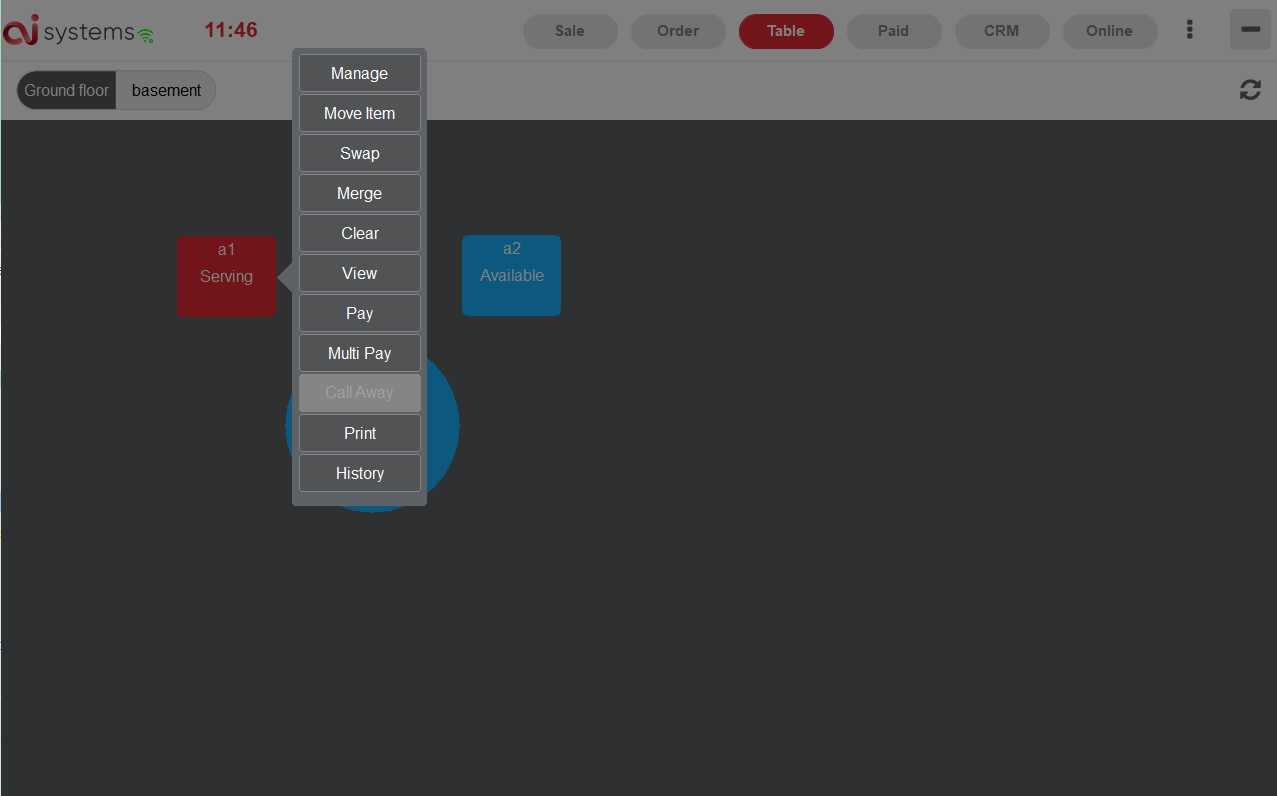
In Table Page, users are able to mange tables (e.g. Move orders from table1 to Table2,
Check for a Table, Order for a table, add items to a table...).
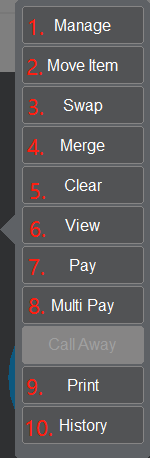
1. Manage: Edit the order
2. Move Item: Move item from table 1 to table 2
3. Swap: Swap the order to empty table
4. Merge: Merge table 1 order and table 2 order together
5. Clear: Clear the order from this table, you can find the order at Order Page (Showing Take-out)
6. View: View the order
7. Pay: Pay the order
8. Multi Pay: Pay multiple table in one payment
9. Print: Print the order
10. History: Check the history of this table
How to add items to a table
When a table is in serving condition( Order placed on the table), it becomes red color. Click
the table, then click ‘Manage’. A new sale page for this table will appear, then click the
item you want to add, click "SAVE" button at the end.
How to move order from a table to another
When customer moves from table 1 to table 2, click table 1 then click "Swap", click table 2.
The order was on table 1 moves to table 2.
How to merge order from a table and another table
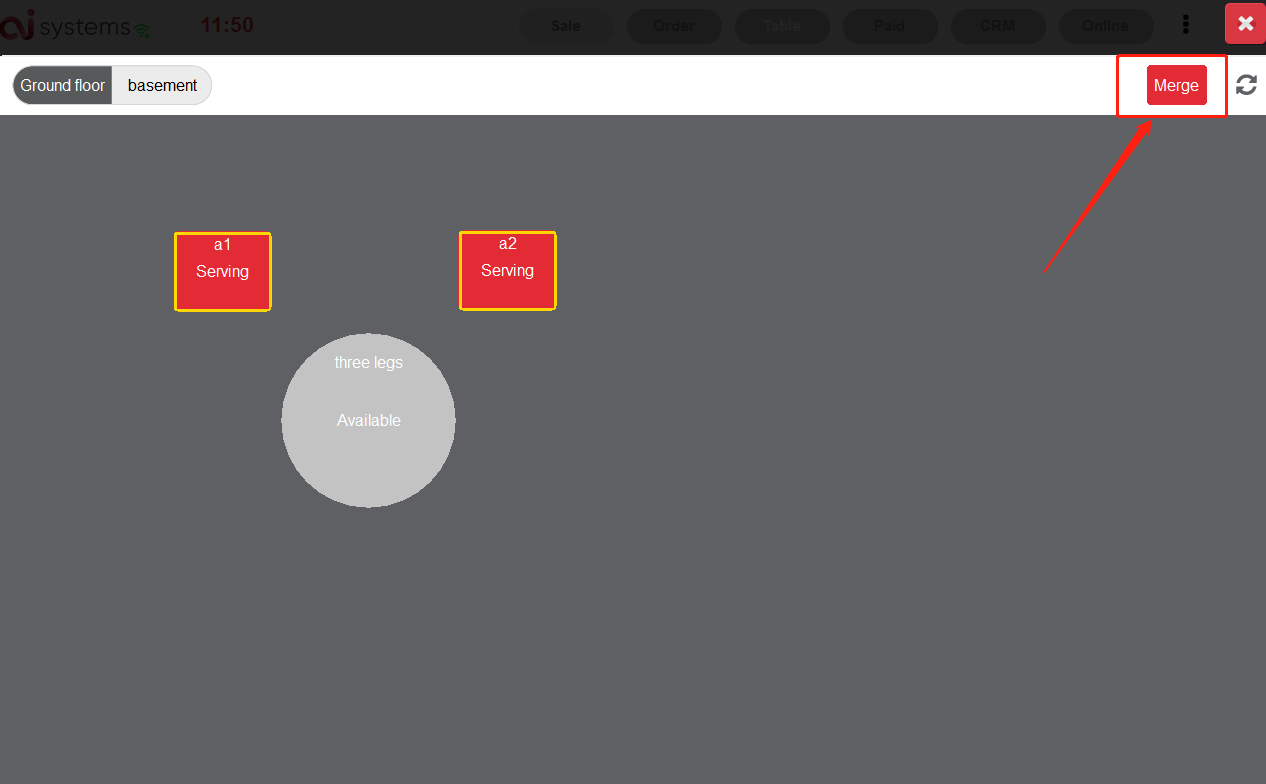
Click table 1 then click "Merge", click table 2. Click "Merge" to merge the order together.